
DigiLocker Integrates APAAR ID: How Students Can Link Academic Records Online
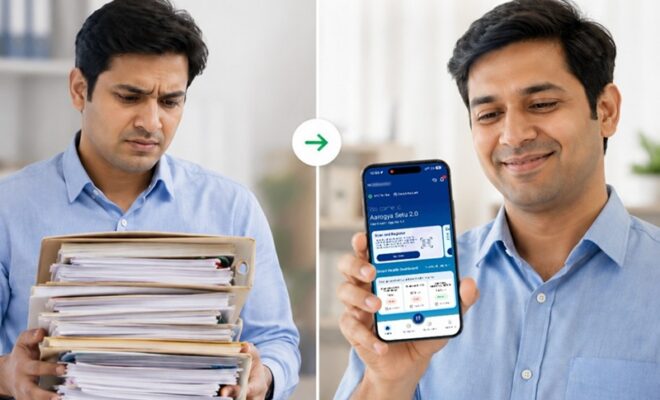
Digital educational environment of India is set to achieve yet another milestone with the introduction of APAAR ID in DigiLocker. This initiative is expected to help students easily get access to their academic records and share them on one digital platform.
This initiative will help the government to realize its vision of providing a unique academic identity to every student. Rather than carrying physical copies of certificates and other documents, the students will maintain verified academic records online, which can be accessed and shared whenever needed.
What Is APAAR ID?
Automated Permanent Academic Account Registry is an innovative and new student identification number launched with NEP 2020.
The APAAR ID is like an identification number of the individual student which ensures that the educational records of the students get linked with each other across various schools, colleges, universities, and educational institutions.
Every student gets a unique number which ensures a continuous digital academic record of each and every student at every stage of education.
What is DigiLocker?
The DigiLocker is the digital platform of the Government of India for storing official documents in digital format.
The students already have the facility of accessing documents like CBSE mark sheets, driving licence, Aadhaar card, PAN card, etc., on the DigiLocker.
Now with DigiLocker APAAR ID, students will find their academic records much better organized and easily available in one place.
Why Is This Integration Important?
The integration simplifies academic document management for millions of students across India.
Instead of repeatedly uploading or carrying physical mark sheets, certificates, and admission documents, students can use their verified digital academic records whenever required.
Educational institutions can also verify records more efficiently, reducing paperwork and minimizing the risk of forged certificates.
The initiative also supports seamless student mobility across educational institutions by maintaining a consistent digital academic profile.
How Students Can Link APAAR ID with DigiLocker
Students can link their APAAR ID through their DigiLocker account by following a few simple steps.
First, log in to the DigiLocker app or website using your registered mobile number or Aadhaar-linked credentials.
After logging in, navigate to the education or profile section where APAAR-related services are available.
Select the option to link your APAAR ID and enter the required details, such as your APAAR number or other verification information.
Once the verification process is completed successfully, your academic records can be linked with your DigiLocker account.
Depending on your educational institution and board, the records may automatically sync after successful verification.
What Documents Can Be Accessed?
Once successfully integrated, students can be enabled to download multiple academic documents that have been verified online.
They could be mark sheets from school, certificate for examination from the board, admission certificate, transfer certificate, migration certificate, etc., offered by those institutes participating in the system.
The kind of academic documents one would be able to download would be contingent upon whether their institute is integrated with APAAR and DigiLocker or not.
How Does It Benefit Students?
There are many benefits of integrating DigiLocker with APAAR ID.
Students do not have to fear losing their important documents because the documents are available online.
This system will make admission, scholarship, competitive exams, and job application processes simpler because the documents can be easily shared through digital means with their authenticity.
How is the Data Safe?
The government claims that DigiLocker complies with safe digital authentication and verification of the document process.
Students have control on how and when they wish to share their documents.
Their documents are accessible only by authorized users and document sharing normally involves user permission.
Parents and students are advised to keep their mobile numbers and credentials up-to-date for accessing the data safely.
Things Students Should Keep Ready
For the purpose of associating their DigiLocker APAAR ID, students must ensure that they have their registered mobile number, Aadhaar information (if any), school or college details, and APAAR ID ready.
It may help students in avoiding any problems in the verification process of their details.
Top Stories You Can’t Afford to Miss Today
When Will Tata Curvv EV Launch?
Explore the confirmed launch date, expected price, battery options, driving range, and upgraded features of the Tata Curvv EV.
Why Is Income Tax Portal Slow?
Check how to clear your browser cache, verify your e-filing status, and avoid penalties under Section 234F before the deadline.
How Are India-Japan Supply Chains Evolving?
Discover how India and Japan are strengthening Indo-Pacific supply chains through new bio-gas and semiconductor partnerships.
How Can Patients Book Instantly?
Explore how AIIMS Delhi’s new WhatsApp and ABHA Health ID system makes OPD appointment booking faster and easier.
Why Did Washington Change Strategy?
Discover why the latest U.S. terror designation targets financial networks and what it could mean for future counterterrorism efforts.
Conclusion
The association between DigiLocker APAAR ID is yet another big step on the path of digital education in India.
This move is expected to not only simplify the task of managing educational documents but also help in improving the efficiency of education services by making them easily accessible to all the students in the nation.
By using DigiLocker along with APAAR ID, students would be able to carry their educational record digitally.