
Tired of Your Laptop Dying Fast? The Smartest Fix Is Here
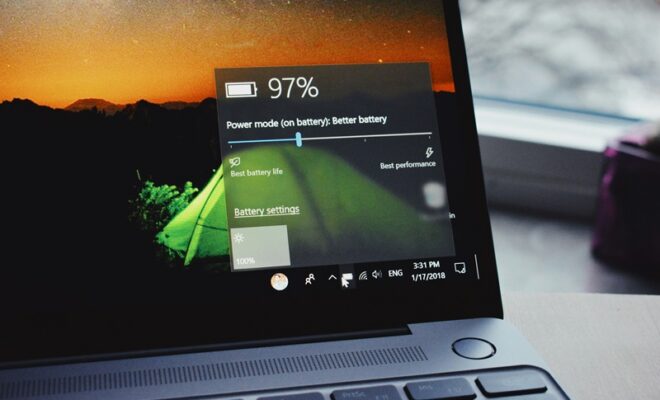
Laptops have very short battery life which is so frustrating at times when you are working on the go or in an online conference where you have no power supply. Fortunately, you do not need to use complicated tools or spend huge money in upgrades to increase the performance of the battery in your laptop. By making some clever modifications, it is possible to increase the daily usage time and the battery life greatly. These useful tips can ensure that you maximize the performance out of your laptop without necessarily altering the performance of the system because of changing the settings of the system or having poor charging habits. This is the full time manual on how to extend laptop battery life.
1. Modify Power Utility To achieve optimum efficiency
The majority of laptops have inbuilt power saving features. Toggling to battery saver or power saver minimizes the background and darkens the screen as well as ensuring optimal performance. Under windows, Battery Saver should be activated in the action center. On Mac OS, enable Low Power Mode.
2. Lower Screen Brightness
The power used by your display is greater than that of the other parts. Even the debit of brightness by 20-30 percent can be a big step to ensure that battery life is extended without impacting any functionality.
3. Turn off the Unnecessary Apps and Background Programs.
Browsers that have a lot of tabs, use a lot of applications or fill up with auto-start applications consume a lot of battery. Close anything that you do not need Check Task Manager (Windows) or Activity Monitor (Mac).
4. Switch off Wi-Fi, Bluetooth and Keyboard Backlights.
Bluetooth and Wi-Fi should be switched off when not in use. Another thing is to switch off the keyboard backlight when you are in a bright area. These measures are small but they conserve energy in the long run.
5. Keep Your Laptop Cool
The heat is the foe of the batteries. Place your laptop on a hard surface, do not cover vents and clean up dust in vents to ensure airflow.
6. Avoid 0% and 100% Battery Levels
Li-ion batteries have a longer life at the 20-80% range. One should not allow the battery to run out or leave it at full capacity and charge over a long period of time.
7. Update Software and Drivers
Battery efficiency can be improved as a part of system updates. Taking care of your OS and drivers is the way of best management of power.
8. Eliminate Redundant Software
The external peripherals such as hard drives, webcams and dongles consume the power on your laptop. Turn them off when not in use.
9. Use Dark Mode
Dark mode lowers the power output of the screen particularly on the OLED and AMOLED screens. It also reduces eye strain.
These useful and intelligent suggestions can make your device have a higher battery life and last longer on a daily and long-term basis. Regular smaller routines result in larger changes in battery health of laptops.