
Minecraft Bedrock 26.20.23/24 Beta Download Guide: Steps, Devices, and Tips
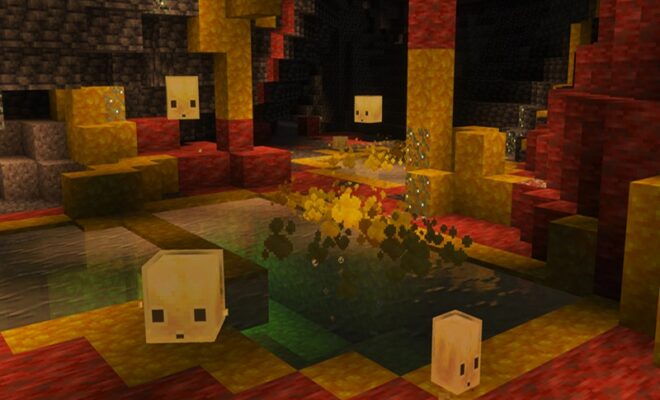
The latest Minecraft Bedrock 26.20.23/24 neta is now available for download. It is giving players early access to upcoming features before the official release. The beta version is part of Mojang’s testing phase, allowing users to explore the new content and report bugs. If you are eager to play the game, here is a complete step-by-step guide for all supported devices.
Supported Devices
The beta version is available on multiple platforms, it majorly includes:
- Windows 10/11(PC)
- Xbox One and Xbox Series X|S
- PlayStation 4 and PlayStation 5
- Android and iOS (pocket edition)
How to Download Minecraft 26.20.23/24 Beta
For Android Users
- Open the Google Play Store
- Search for Minecraft
- Scroll down to find the “Join Beta” section
- Tap Join and wait for confirmation
- Update the game to access the beta version
For Xbox Users
- Open the Xbox Insider Hub
- Go to Previews section
- Select Minecraft Preview
- Click Join
- Download and install the preview version
For Windows (PC) Users
- Open Microsoft Store
- Search for Minecraft Preview
- Download and install the preview app
- Launch the game to access beta features
Important Tips Before Downloading
Before you proceed with the Minecraft Bedrock Beta download, keep these points in mind:
- Backup your worlds before switching to beta
- Beta versions may crash or have bugs
- Multiplayer compatibility may be limited
- Leaving beta may require reinstalling the game
These precautions will help avoid data loss and gameplay issues.
How to Leave Minecraft Beta
If you want to return to the stable version:
- On Android: Leave beta via Play Store and reinstall the game
- On Xbox/Windows: Unenroll from preview in Insider Hub
Note that your beta worlds may not work in the stable version.
What’s New in 26.20.23/24 Beta
While exact features may vary, this update generally includes:
- Gameplay tweaks and balancing
- Bug fixes and performance improvements
- Experimental features for upcoming updates
Players can explore these changes early and provide feedback to developers.
Conclusion
The Minecraft Bedrock Beta download is a great way to experience upcoming features before the official release. Whether you’re on Android, Xbox, or Windows, the process is simple and accessible.
However, since beta versions are not fully stable, it’s important to follow safety precautions and use them mainly for testing.
FAQs
Is Minecraft beta free?
Yes, if you already own the game.
Can I play with friends in beta?
Only with players using the same beta version.
Is beta safe to use?
Yes, but it may contain bugs and glitches.
Can I switch back to normal version?
Yes, but it may require reinstalling the game.
More Recommended Read:
What Is Chanakya? Sarvam AI’s Big Bet on Critical AI Explained
Redmi Note 15 SE 5G Launch Date, Price and Specifications in India
Google Live Translation on iPhone Explained: Features, Languages and How It Works
Minecraft Update Explained: Features, Changes and Future Plans